Certificate detail
View and edit one issued certificate: its data fields, the attached PDF file, and actions to replace, download or delete it.
When to use
To correct a certificate's fields, attach or replace its PDF, preview/download it, or remove it.
Where
- Opened from the register (click a row)
- URL:
/partner/certificates/:certId - Roles: Owner / Admin / Manager.
Step-by-step
- Open a certificate from the register. The page shows "Certificate Details" with the holder and a link to the
Student Profile, plus an Expiring Soon marker where relevant.
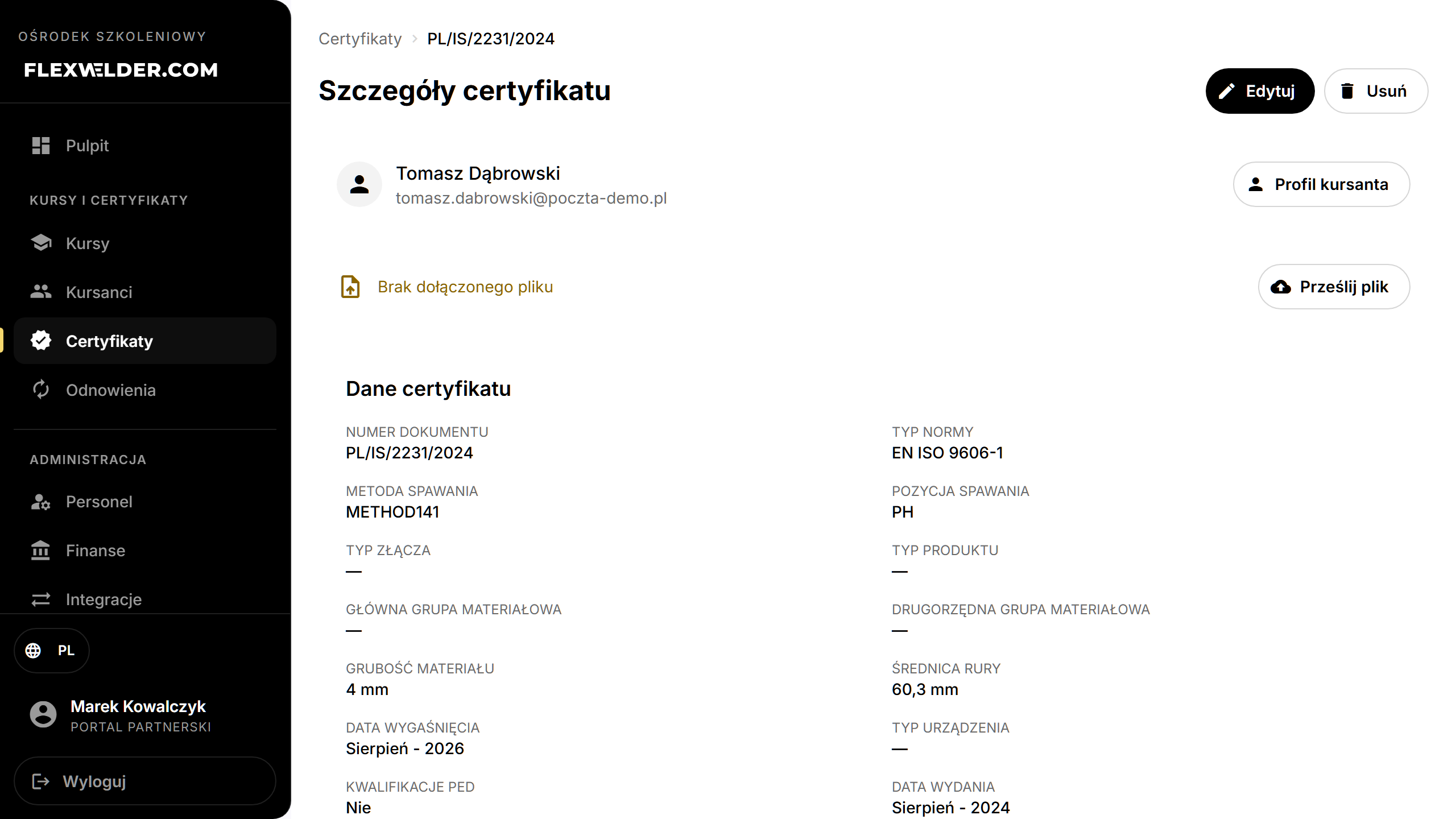
- File: if a file is attached, Preview or Replace File; if not, Upload File.
- Edit the Certificate Data fields (document number, standard, welding method/position, materials, thickness, diameter, expiration, device type, PED, etc.).
- Click "Save Changes".
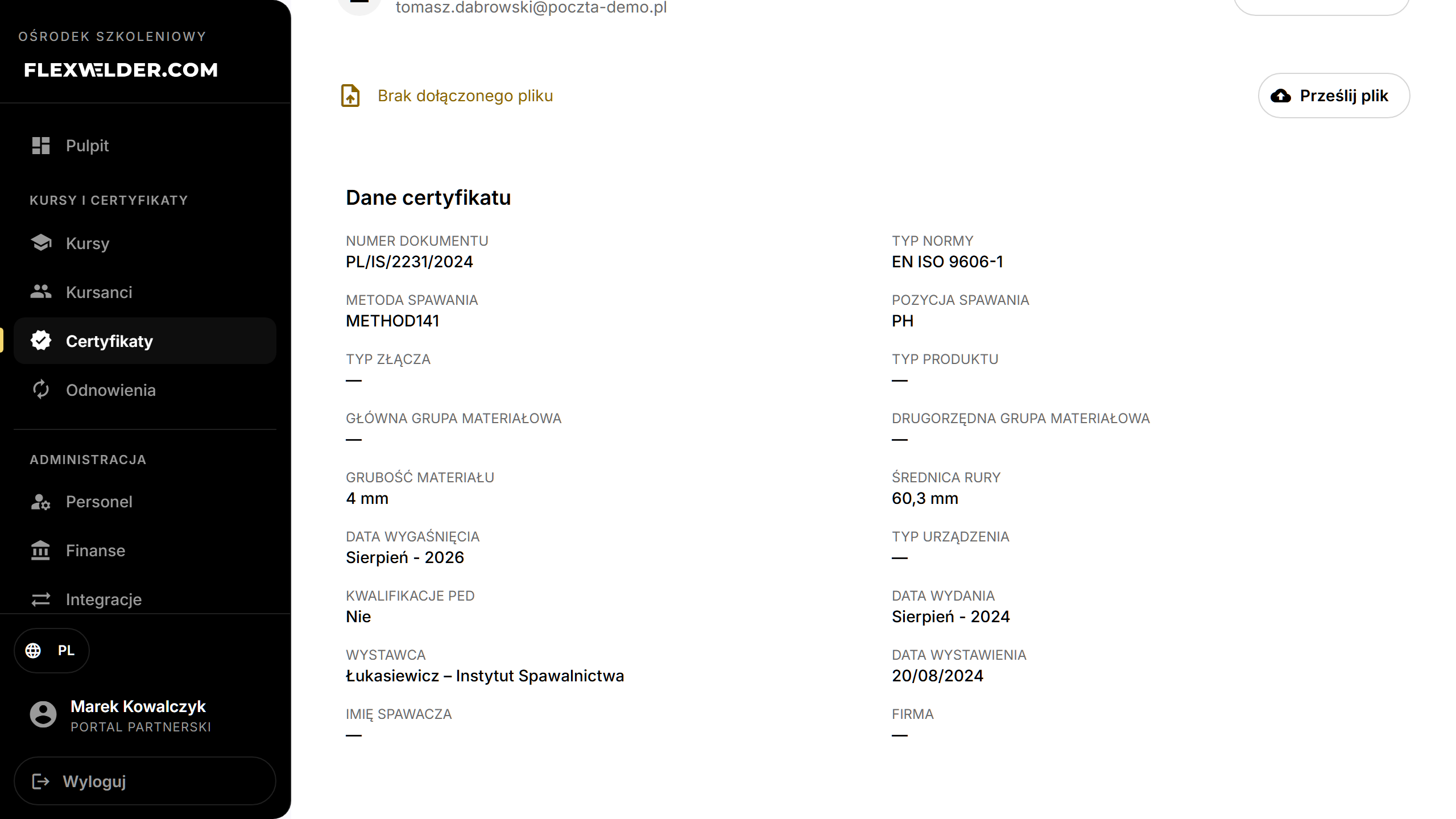
- Delete certificate removes it (with confirmation).
Fields & validation
Same field set as the issue flow: Document Number, Standard Type, Welding Method/Position, Material Group(s), Material Thickness, Pipe Diameter, Expiration Date, Device Type, PED Qualifications, etc.
What happens / outcome
- Save Changes updates the certificate.
- Replace File asks for confirmation ("This action cannot be undone") then swaps the PDF.
- Delete removes the certificate from the register.
Edge cases & errors
- No file attached: shows "No file attached" with an Upload File action.
- File upload/replace and save show success/error toasts.
Related flows
FAQ
- Can I change the holder? Edit the certificate's data here; the holder's personal details live on their profile.
- Is replacing a file reversible? No — replacing overwrites the previous PDF.