Clients (directory)
The training center's client directory: companies and institutions you issue offers to, with company data auto-filled from the Polish GUS registry by tax ID (NIP).
When to use
Before you create your first offer, add the client here — every offer must point at a client. Come back to keep contact data current (especially the email that offers are sent to) or to deactivate stale clients.
Where
- Sidebar: Sales → Clients
- URL:
/partner/offer-clients - Roles: Owner / Admin / Manager. Trainers don't see the Sales section.
Prerequisites
A Training Center company with an active subscription. The directory starts empty — clients are added manually.
Step-by-step
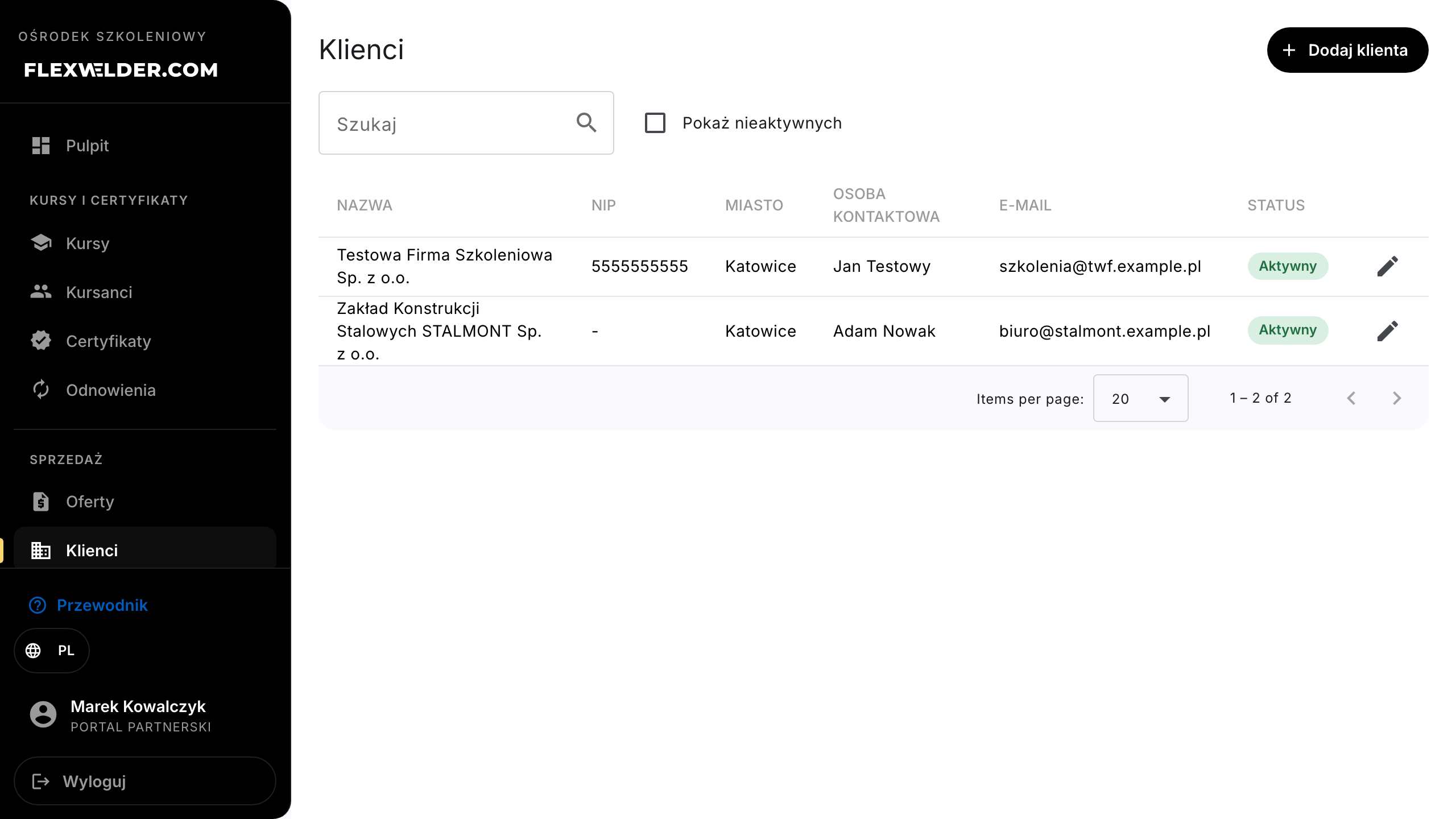
- Open Sales → Clients. The list shows Name, Tax ID (NIP), City, Contact person,
Email and Status (Active/Inactive).
- Click "Add client".
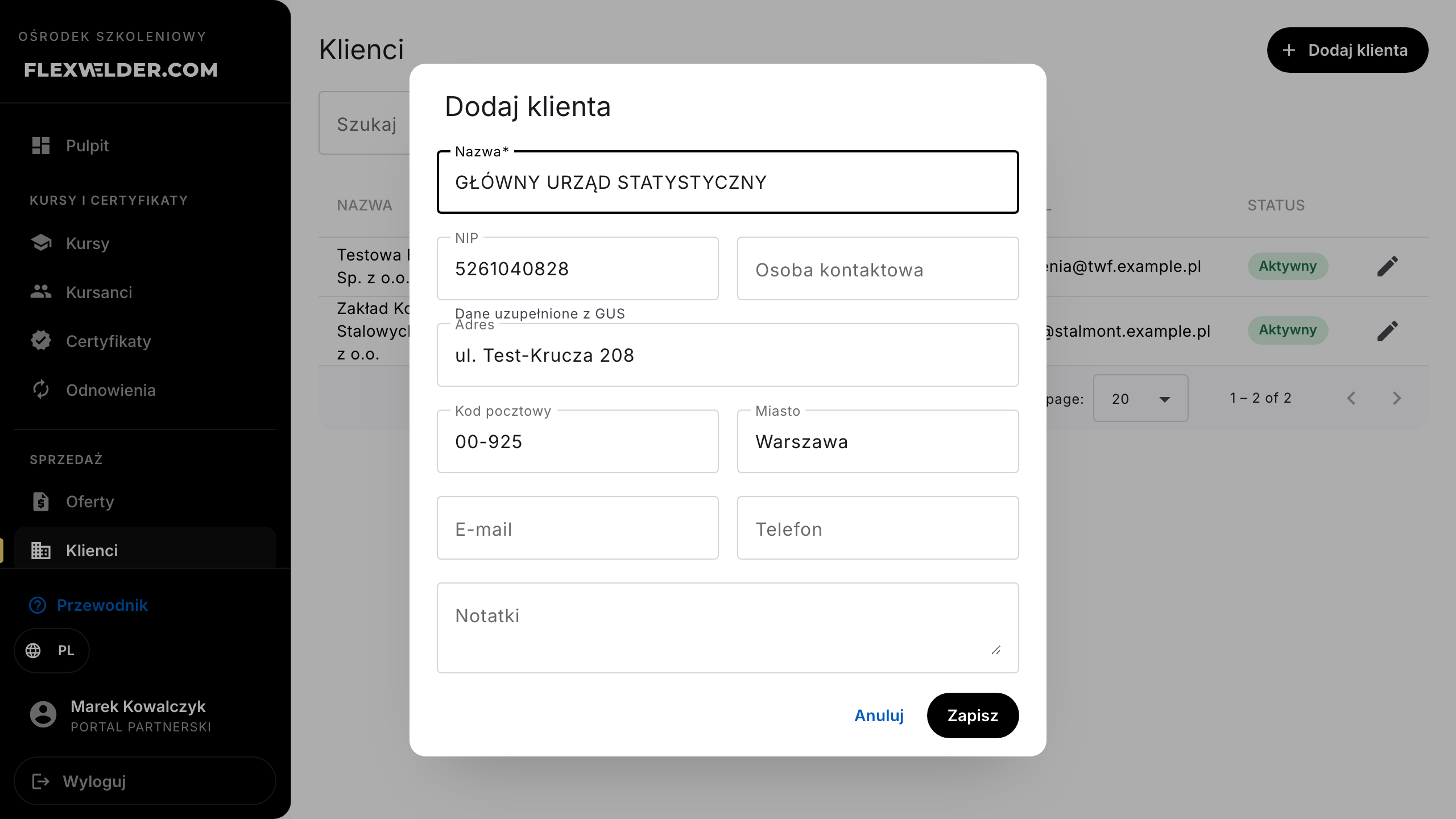
- Type the Tax ID (NIP) and click outside the field — the system fetches company data from GUS
(hint "Fetching data from GUS...", then "Data filled from GUS"). Name, address, postal code and city
fill in automatically; you can still edit them.
- Fill in Email — offers with the acceptance link are sent to this address by default.
- Optionally add a Contact person, Phone and Notes, then click "Save" (toast "Client saved").
- To edit a client, click the pencil icon in their row.
Fields & validation
| Field (label) | Required | Notes / validation |
|---|---|---|
| Name | yes | The only mandatory field. |
| Tax ID (NIP) | no | Leaving the field with a full 10-digit NIP (spaces and dashes ignored) triggers the GUS lookup. |
| Address, Postal code, City | no | Auto-filled from GUS, editable. |
| no | Format validated. Without it you'll have to type an address manually when sending an offer. | |
| Phone, Contact person, Notes | no | Free text. The list search also matches the contact person. |
| Active | — | Unchecking hides the client from the default list and pickers (see below). |
What happens / outcome
- A new client immediately appears on the list and in the client picker of the offer editor.
- An offer stores a copy of the client's data (snapshot) at first send — later directory edits no longer change offers that were sent or decided.
Edge cases & errors
- No delete button: clients are never hard-deleted because existing offers reference them. Untick "Active" instead — the client disappears from the list (unless "Show inactive" is checked).
- "Company not found in GUS - fill in manually" — the NIP is formally valid but has no registry entry.
- "GUS unavailable - fill in manually" — temporary GUS outage; enter the data yourself.
- Empty state: "No clients yet. Add your first client to create offers for them."
Related flows
- Offers list — filter by client · Create / edit an offer — picking the client · Send an offer & acceptance link — where the email goes.
FAQ
- Can I add a private person (no NIP)? Yes — NIP is optional, only the name is required.
- I changed the client's address. Does an old offer change? No — sent and decided offers keep the snapshot taken at send time. New data flows into future offers.