Courses list
Browse, search and filter every course in your training center; the entry point for creating courses and the completion report.
When to use
To find a course, check its editions and enrollment at a glance, or jump to creating a new course or running the completion report.
Where
- Sidebar: Courses & Certificates → Courses
- URL:
/partner/courses - Roles: all. Trainers see only the courses they're assigned to (no New Course / report / duplicate).
Step-by-step
- Open Courses. The page header shows "Courses"; top-right (admins) has "Generate report" and
"New Course".
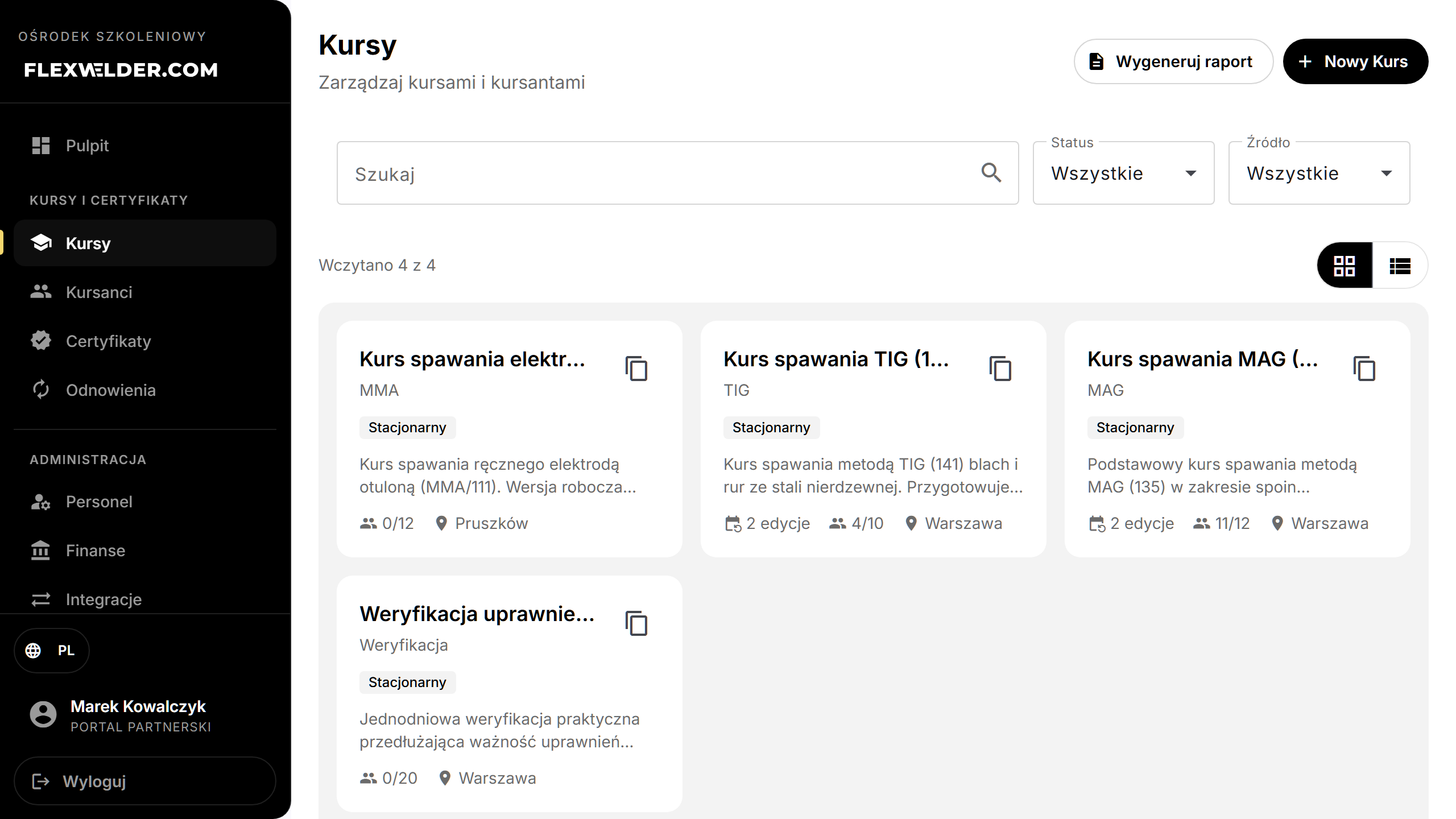
- Filter using the card: "Search" (free text), "Status" (All / Draft / Active / Archived), "Source" (All / Manual / E-commerce). Active filters appear as removable chips under "Active filters:"; "Clear all" resets them.
- Switch layout with the grid / list toggle (top-right of the results). Your choice is remembered.
- Grid view shows course cards (name, category, standard, type/source badges, edition and enrollment counts);
scroll to load more. List view shows a table — Course Name · Category · Standard · Instances · Students ·
Actions — with a pager (10/20/50 per page).
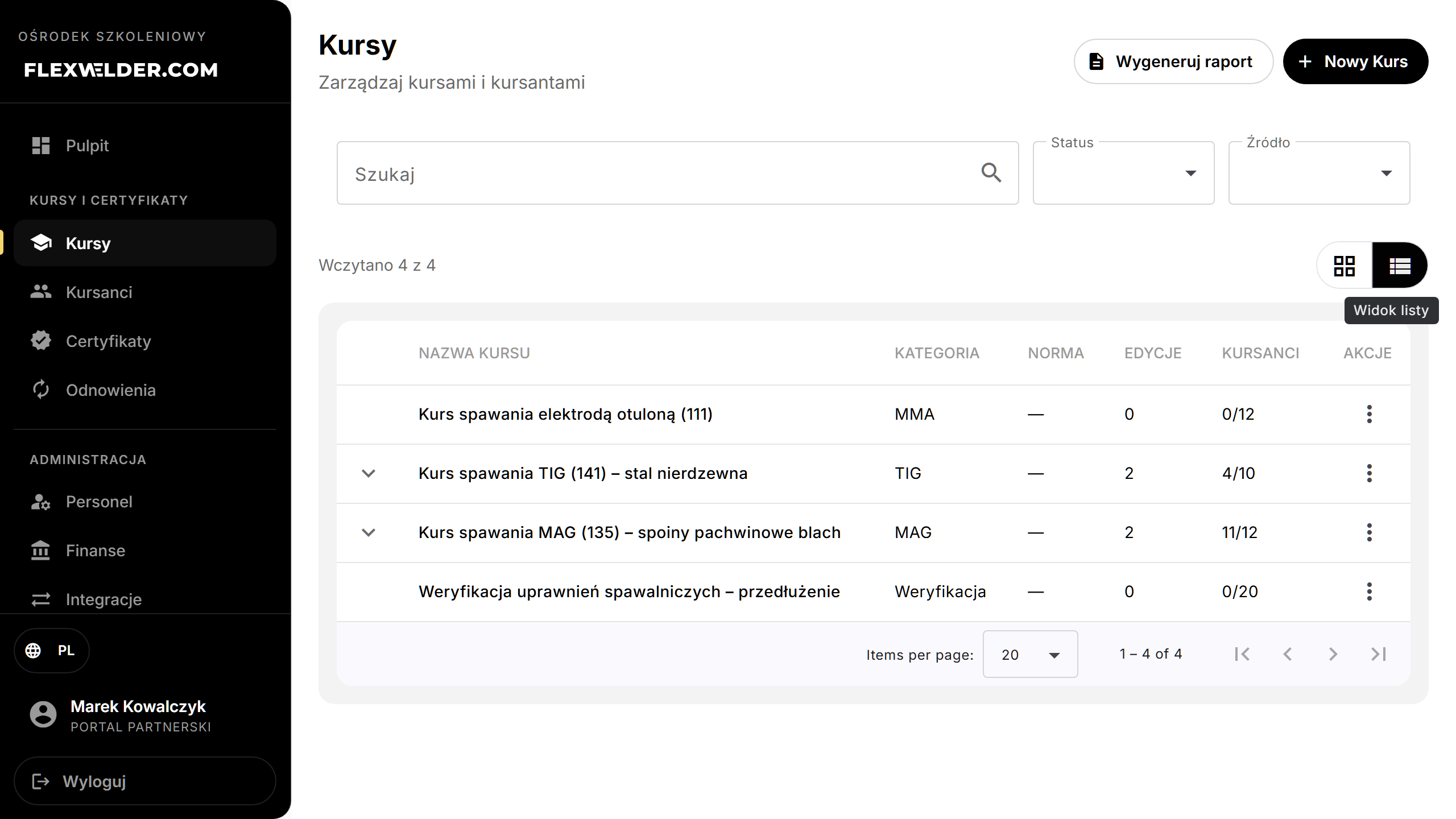
- In list view, click a row to expand its editions inline; click an edition to open its detail. Or click a course (card/row) to open Course details.
- Row actions (⋮ menu, list view): "Course Details", "New session", "Edit Course", "Duplicate Course" (last three admins only). In grid view, a calendar icon opens "New session" and a copy icon duplicates the course.
Fields & validation
No input here beyond the filters. Search is debounced (~0.4 s).
What happens / outcome
- New Course → course form. Generate report → completion report.
- New session → opens Course details with the add-edition form already expanded and scrolled into view, ready to create a new edition (session) of the course — see Course editions.
- Duplicate opens a confirmation; on confirm the copy is created and you land on its edit page (toast: "Course duplicated successfully"). The clone copies course settings and agenda but not students or attendance.
Edge cases & errors
- No courses, no filters: empty state "No courses found" + "Create your first training course to get started."
- No matches with filters: "No matching courses" + "Try adjusting your filters."
- The duplicate confirmation dialog text currently appears in English regardless of language.
Related flows
FAQ
- Why don't I see "New Course"? You're a trainer; course creation is admin-level.
- Does duplicating copy students? No — only course settings and agenda.