Student card (inside a course)
One student's record within a single course: enrollment status, payment, grade, and a day-by-day, block-by-block attendance grid.
When to use
To set a student's payment status, record their per-block attendance and exam/practice grades, or check their grade in this specific course. Trainers use this card for students in courses they're assigned to.
Where
- Opened from a course/edition's Students tab (click a student row)
- URL:
/partner/courses/:courseId/students/:userId - Roles: all (trainers included, for assigned courses). Trainers see payment as read-only text.
Step-by-step
- From a course or edition's Students tab, click a student to open their card. The header shows name, email,
enrollment status, enrolled date and grade.
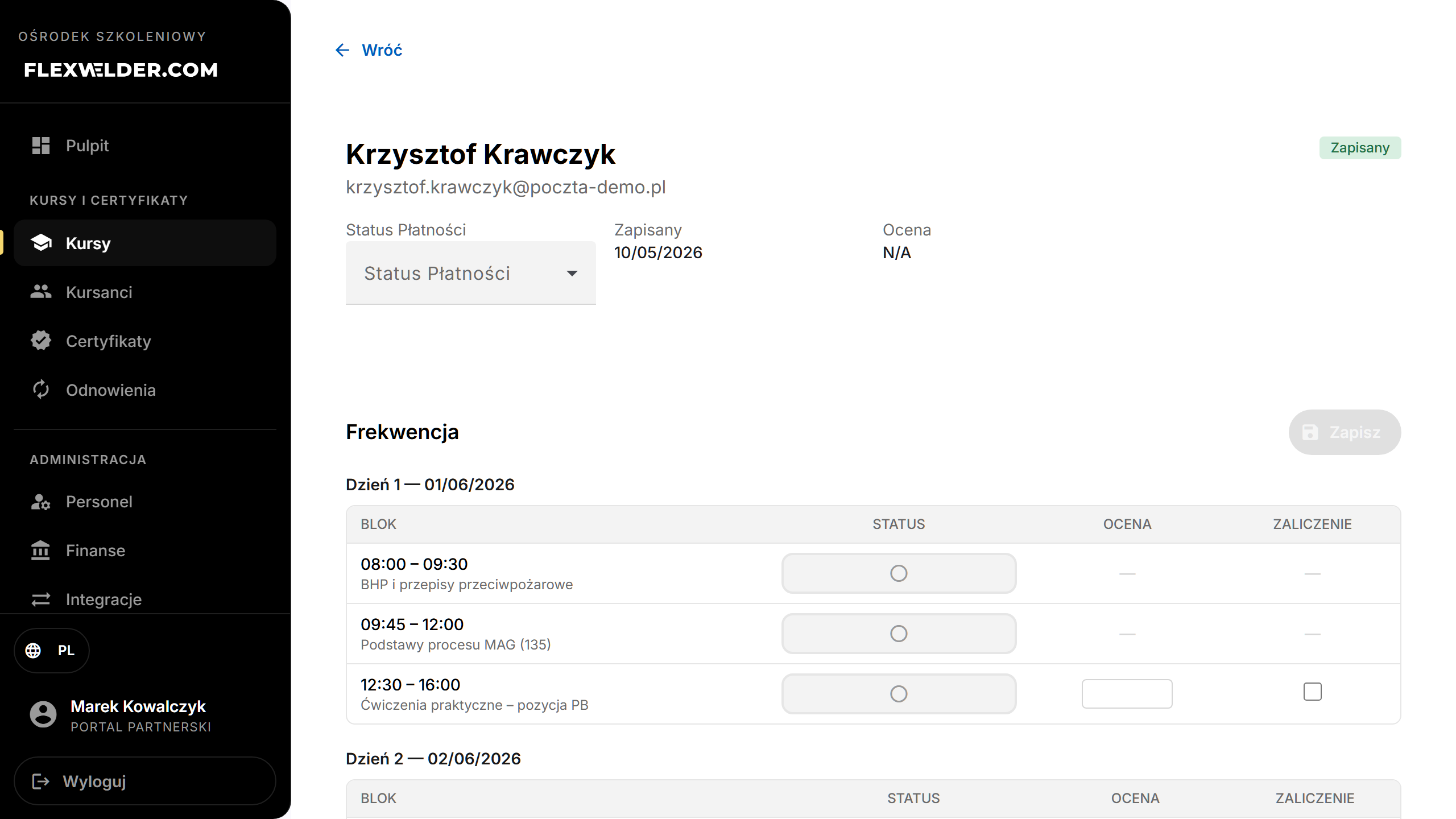
- Payment status (admins): change it via the dropdown — Paid / Pending / Unpaid / Refunded — and confirm.
- In Attendance, each course day lists its blocks. Click a block's status button to cycle it (unmarked →
Present → Absent). For exam and practice blocks you can also enter a Grade and tick Pass.
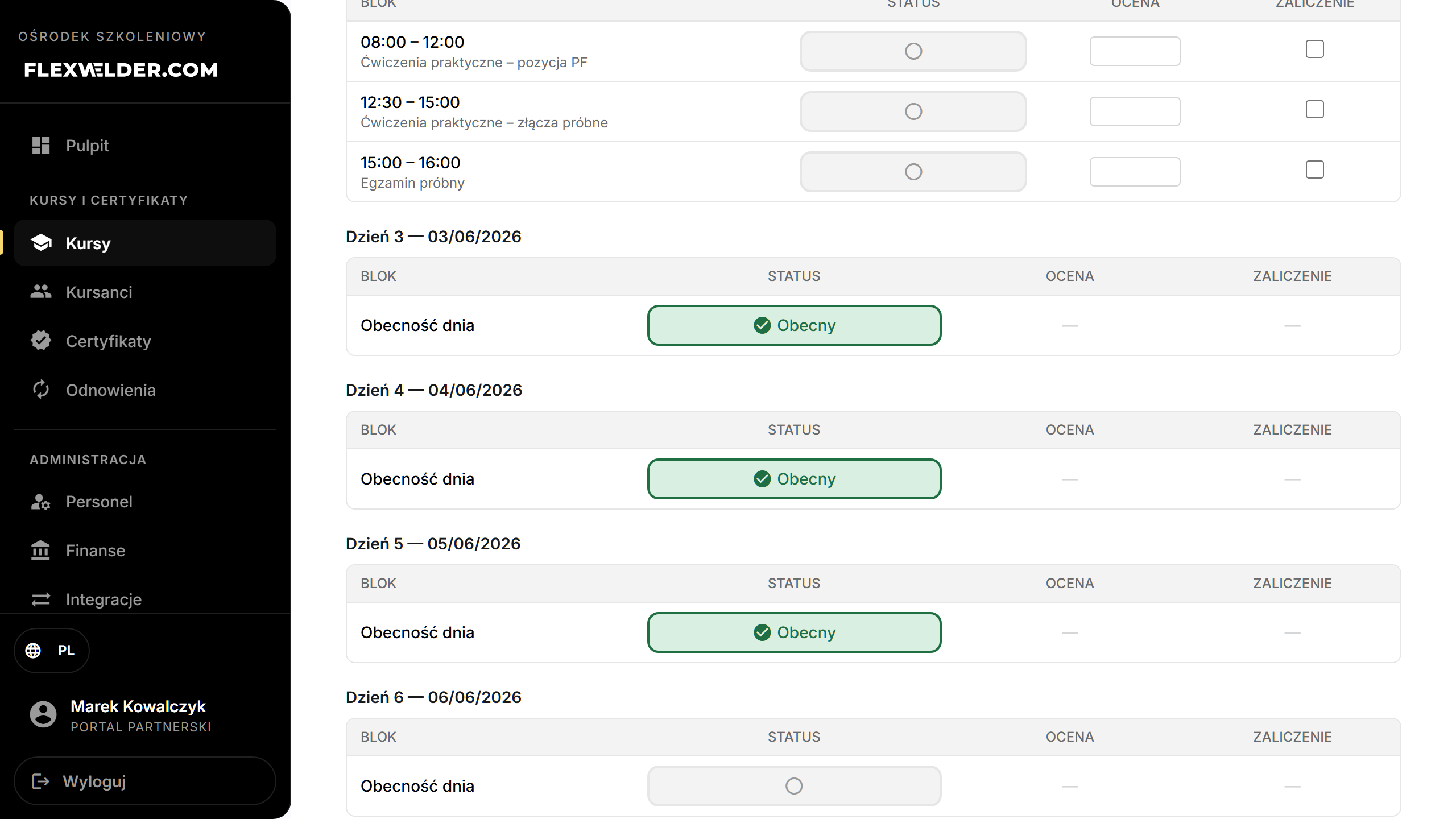
- Click "Save" (the dot indicates unsaved changes).
Fields & validation
| Field | Editable by | Notes |
|---|---|---|
| Payment status | Admin/Manager/Owner | Paid / Pending / Unpaid / Refunded; asks for confirmation. |
| Block status | Admin/Manager/Owner/Trainer | Present / Absent (cycled from unmarked). |
| Grade, Pass | Admin/Manager/Owner/Trainer | Only on exam/practice blocks. |
What happens / outcome
- Payment change is confirmed then saved ("Payment status updated").
- Attendance is saved per day (block-based where the day has trackable blocks, otherwise a single day status); toast "Attendance saved".
- Recorded grades/passes feed the edition's pass-rate columns and the completion report.
Edge cases & errors
- "This student is not assigned to a specific course edition." — assign them to an edition to get a day grid.
- "This edition does not have start/end dates set yet." — set the edition's dates first.
- The whole-cohort attendance view is on the edition's Attendance tab; this card is the per-student view.
Related flows
FAQ
- Why no grade box on a block? Grades/pass apply to exam and practice blocks only.