Course details
The read-only overview of one course: its properties, its editions, and (for courses without editions) inline tabs to manage students, agenda, instructors, attendance and the certificate register.
When to use
To review a course, manage its editions, duplicate it, save it as a template, or run its completion report.
Where
- Sidebar: Courses → click any course
- URL:
/partner/courses/:courseId - Roles: all (trainers: assigned courses, read-mostly — no edit/duplicate/template/add-edition).
Step-by-step
- Open a course from the list. The header shows the name, category and a status chip
(Active / Draft / Archived), plus source/type badges.
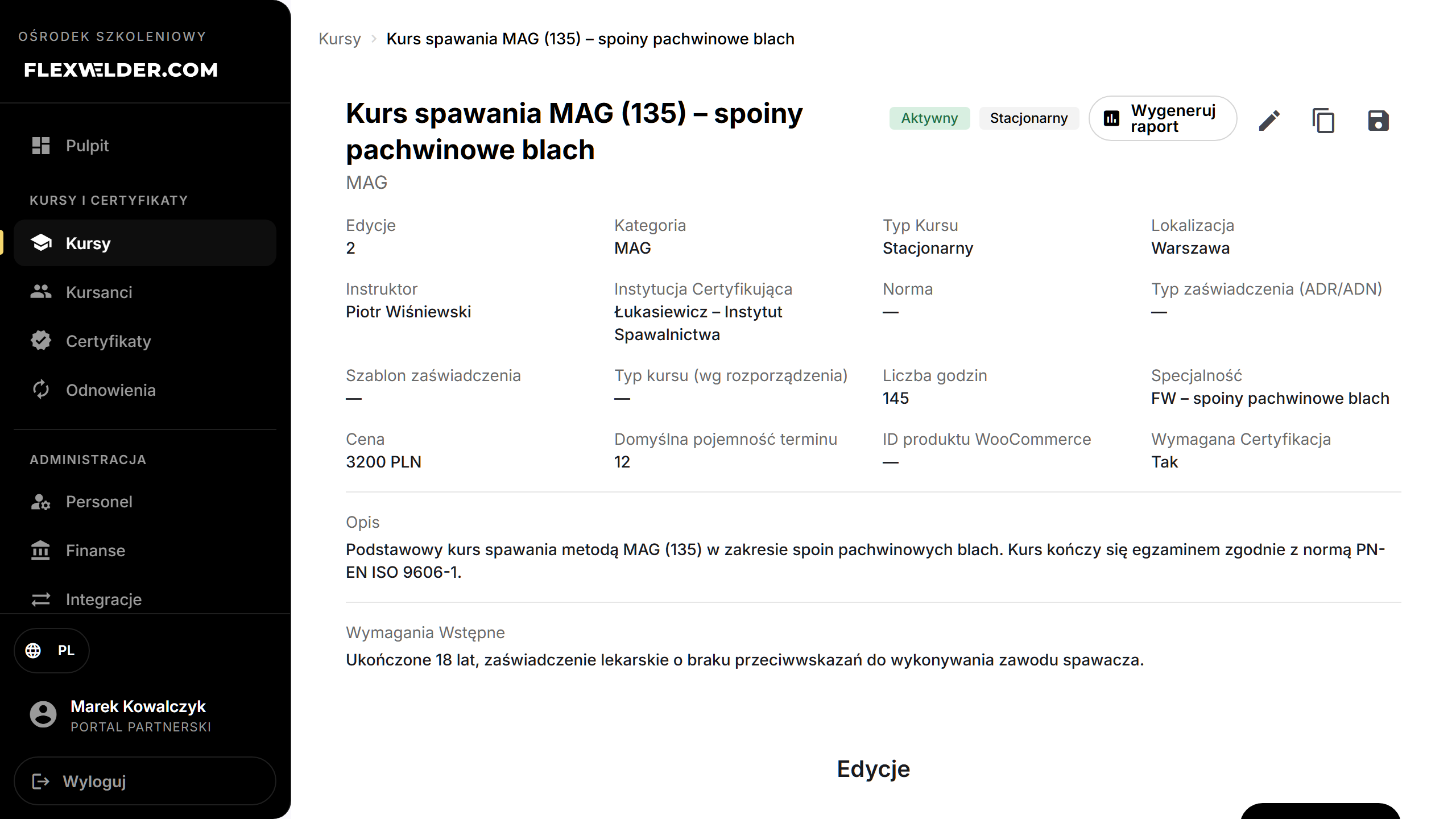
- Header actions (admins): "Generate report" (pre-filtered to this course), Edit (pencil), Duplicate (copy icon), Save as template (save icon).
- Review the properties grid (category, type, location, instructor, standard, certificate type/template, regulatory type, hours, price, capacity, WooCommerce ID, certification required) and the description/prerequisites.
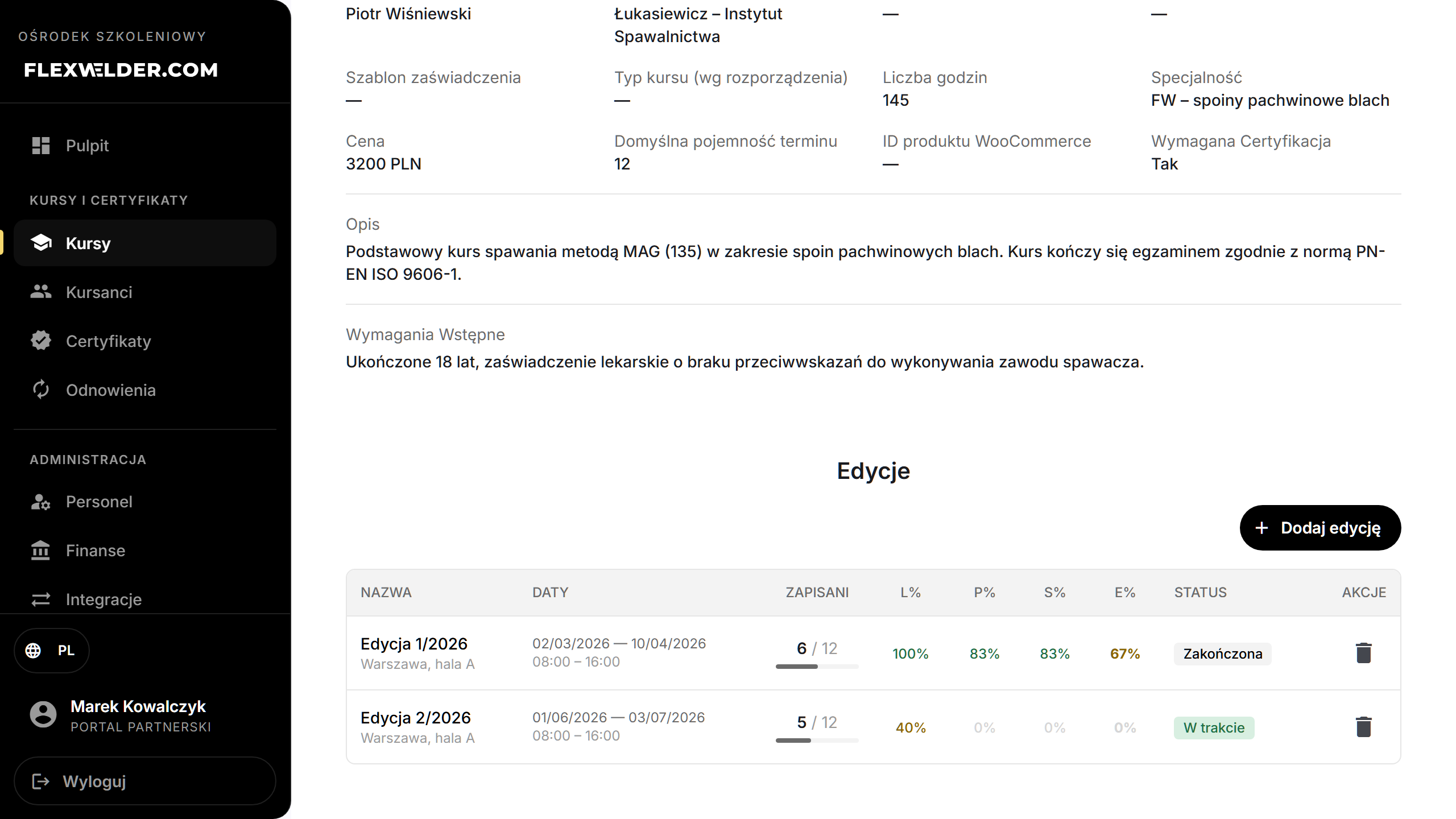
- Editions section: see Course editions — add, edit, open or delete editions. Each row
shows enrollment and lecture/practice/sample/exam pass rates (L% / P% / S% / E%).
- If the course has no editions yet, management tabs appear directly here: Students, Agenda, Instructors, Attendance, Certificates (register). Once you add an edition, manage those per edition in the edition detail instead.
Fields & validation
Read-only. Editing happens via Edit (course form) or the editions/tab actions.
What happens / outcome
- Save as template prompts for a template name and stores the course's settings for reuse in Create from Template.
- Duplicate creates a copy (settings + agenda, not students) and opens its edit page.
- Enrolling/removing a student (no-editions mode) updates the roster and counts immediately.
Edge cases & errors
- Trainers see a reduced view: no edit/duplicate/template buttons, no add-edition, read-only roster; Agenda / Instructors / Register tabs are hidden (Students + Attendance remain).
- Enrolled counts and edition bars auto-refresh every ~30 s while the page is open.
- The "Save as template", "Duplicate Course" and enroll/remove confirmation dialogs currently appear in English.
Related flows
FAQ
- Where did the Students/Agenda tabs go? They move into each edition once the course has editions. A course with no editions manages them here.
- What does "Save as template" capture? The course's settings (not its editions or students).