Import certificates
Bulk-import students and their certificates from a spreadsheet (.xlsx / .xls / .csv): upload → map columns → preview → import. Duplicates are skipped automatically.
When to use
To load many certificates at once instead of issuing them one by one.
Where
- Sidebar: Certificates → "Import Certificates"
- URL:
/partner/certificates/import - Roles: Owner / Admin / Manager.
Step-by-step
- Open "Import Certificates".
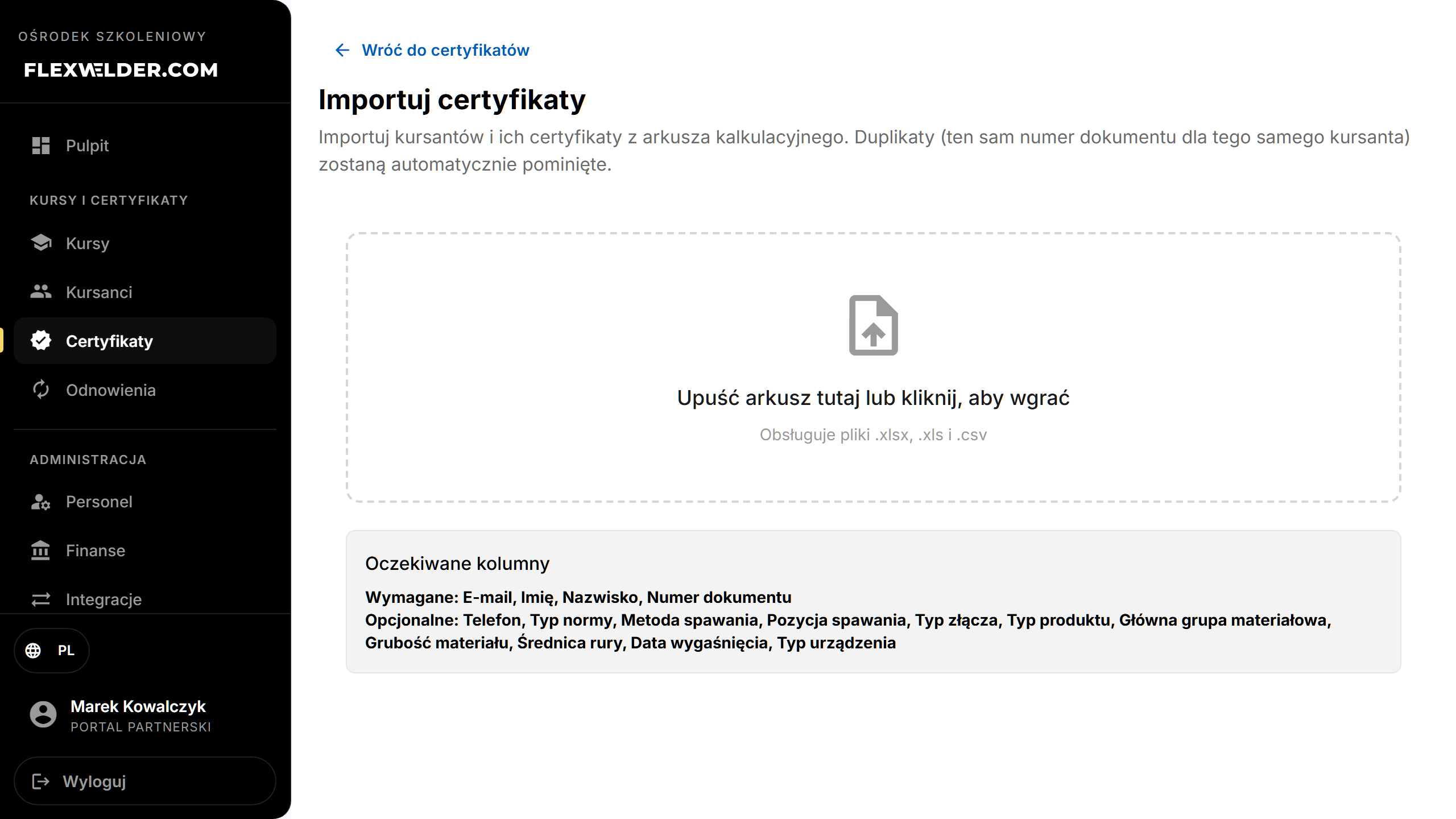
- Upload: drop your spreadsheet ("Drop your spreadsheet here or click to upload"). Required columns: Email,
First Name, Last Name, Document Number. Optional columns include phone, standard type, welding method/position,
connector/product type, material group, thickness, pipe diameter, expiration date, device type.
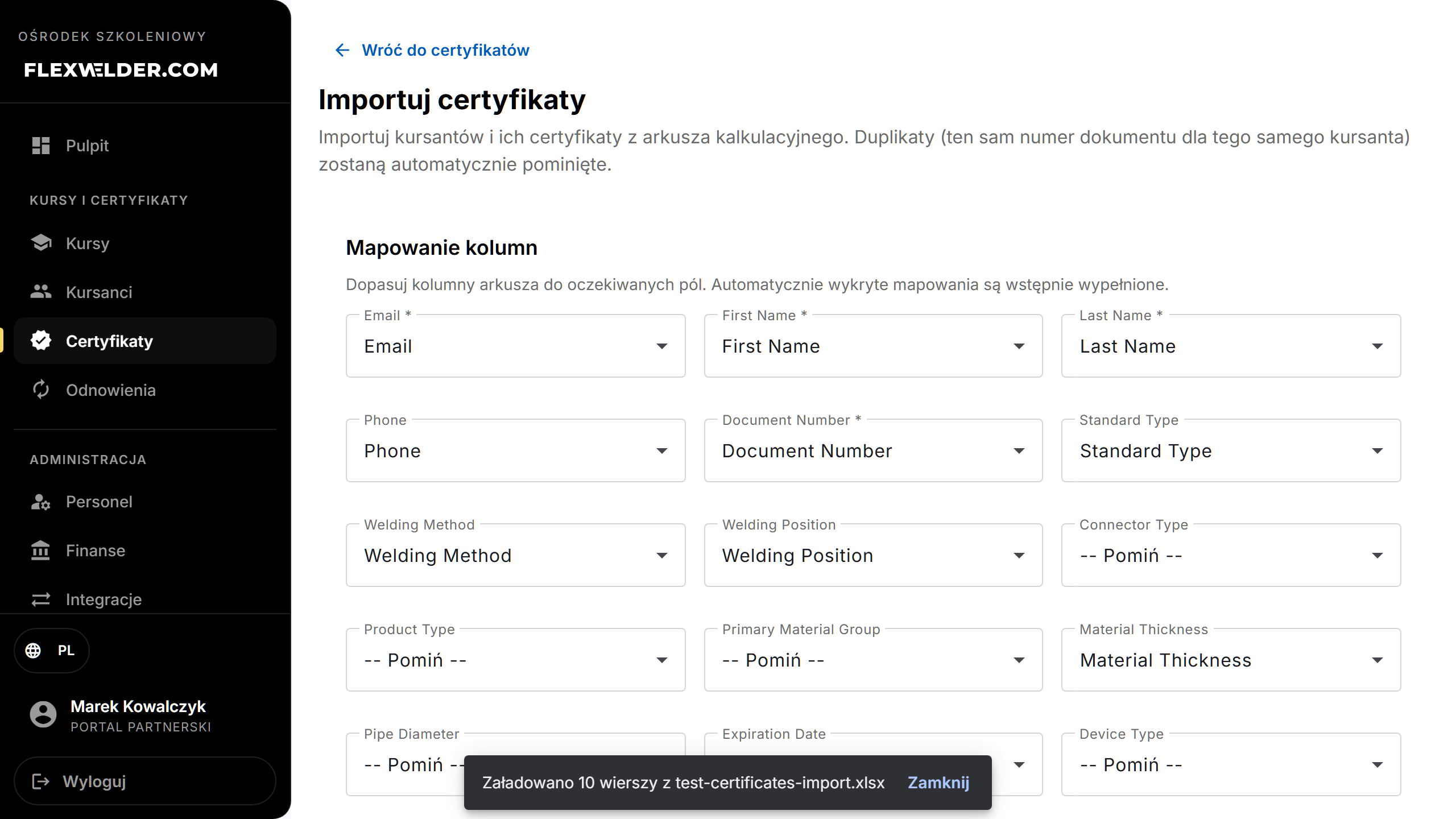
- Column Mapping: map your spreadsheet columns to the expected fields (auto-detected mappings are pre-filled; use "-- Skip --" for columns to ignore).
- Preview the parsed rows (rows with errors are flagged).
- Click "Import N certificates".
- Review the result: Total, Created, Skipped (duplicates), Failed.
Fields & validation
| Step | Notes |
|---|---|
| File | .xlsx, .xls, .csv. Empty spreadsheet → "Spreadsheet is empty". |
| Mapping | Required fields must be mapped: Email, First Name, Last Name, Document Number. |
| Preview | Shows row count and "{n} rows with errors". |
What happens / outcome
- Students are created (or matched) and certificates added. Toast: "Import complete: {created} created, {skipped} skipped, {failed} failed".
- Duplicates — same document number for the same student — are skipped automatically.
- New students follow the same activation flow as single issue.
Edge cases & errors
- Rows with errors are counted in the preview; fix the source data and re-upload.
- Import failed: a toast reports the failure; check the file format and required columns.
Related flows
- Certificate register · Issue a certificate (single)
FAQ
- Which columns are mandatory? Email, First Name, Last Name, Document Number.
- Will it create duplicates? No — the same document number for the same student is skipped.