Course-completion certificate
The certificate that says a student finished a course (a zaświadczenie o ukończeniu kursu) — issued from the course/edition, not uploaded. Distinct from a welding certificate (which records a welding qualification).
When to use
After a student completes a course, to generate and hand them their completion certificate — individually or for the whole cohort at once.
Where
- In a course edition's Students tab (per student), and the edition header (bulk)
- URL context:
/partner/courses/:courseId/instances/:instanceId - Roles: Owner / Admin / Manager / Employee.
Step-by-step — one student
- On the edition's Students tab, click the completion-certificate (medal) icon on the student's row.
- Review or edit the certificate number (a suggested number is offered), then confirm with "Issue and
download".
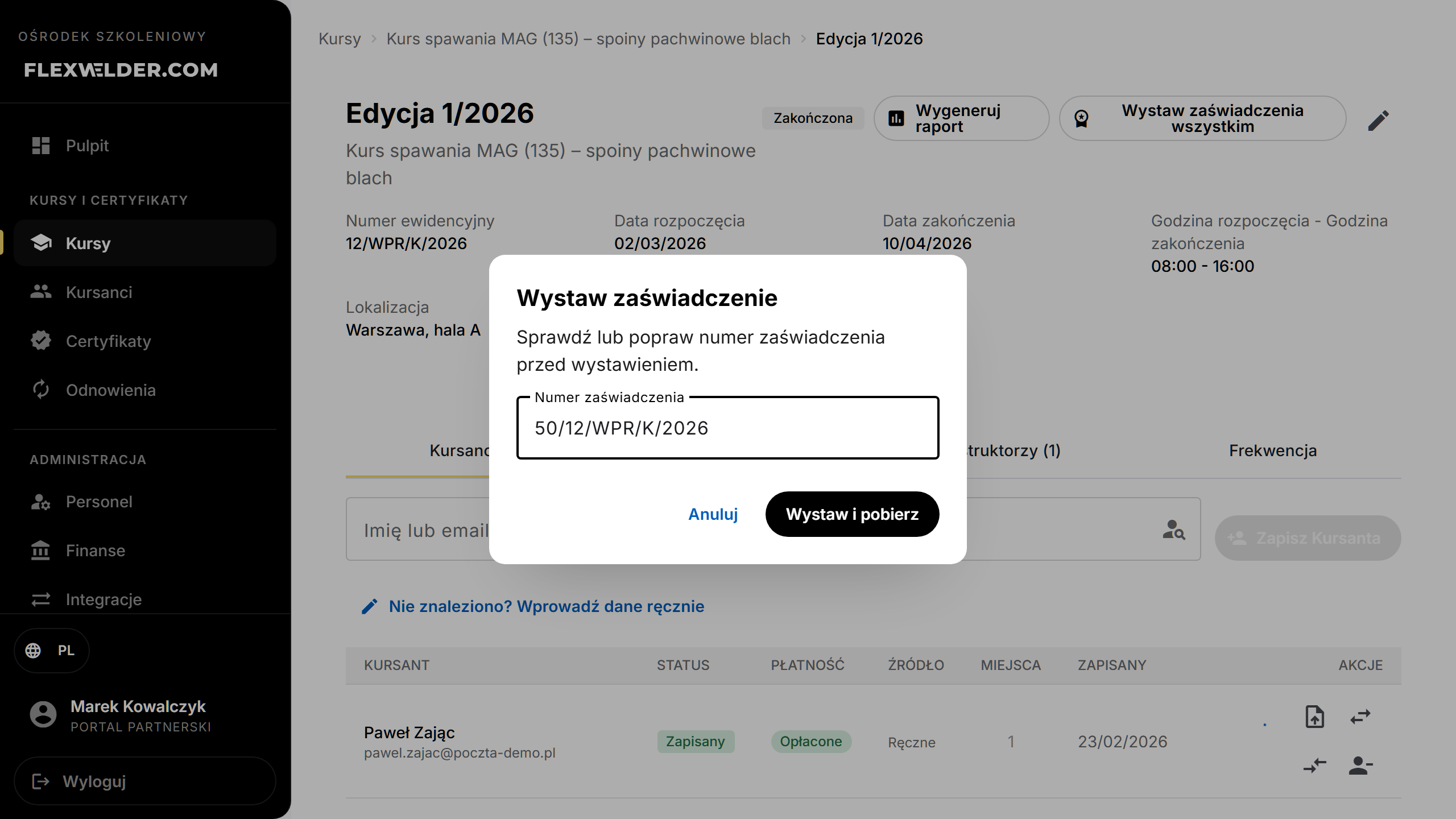
- The certificate PDF is generated and downloaded.
Step-by-step — whole cohort
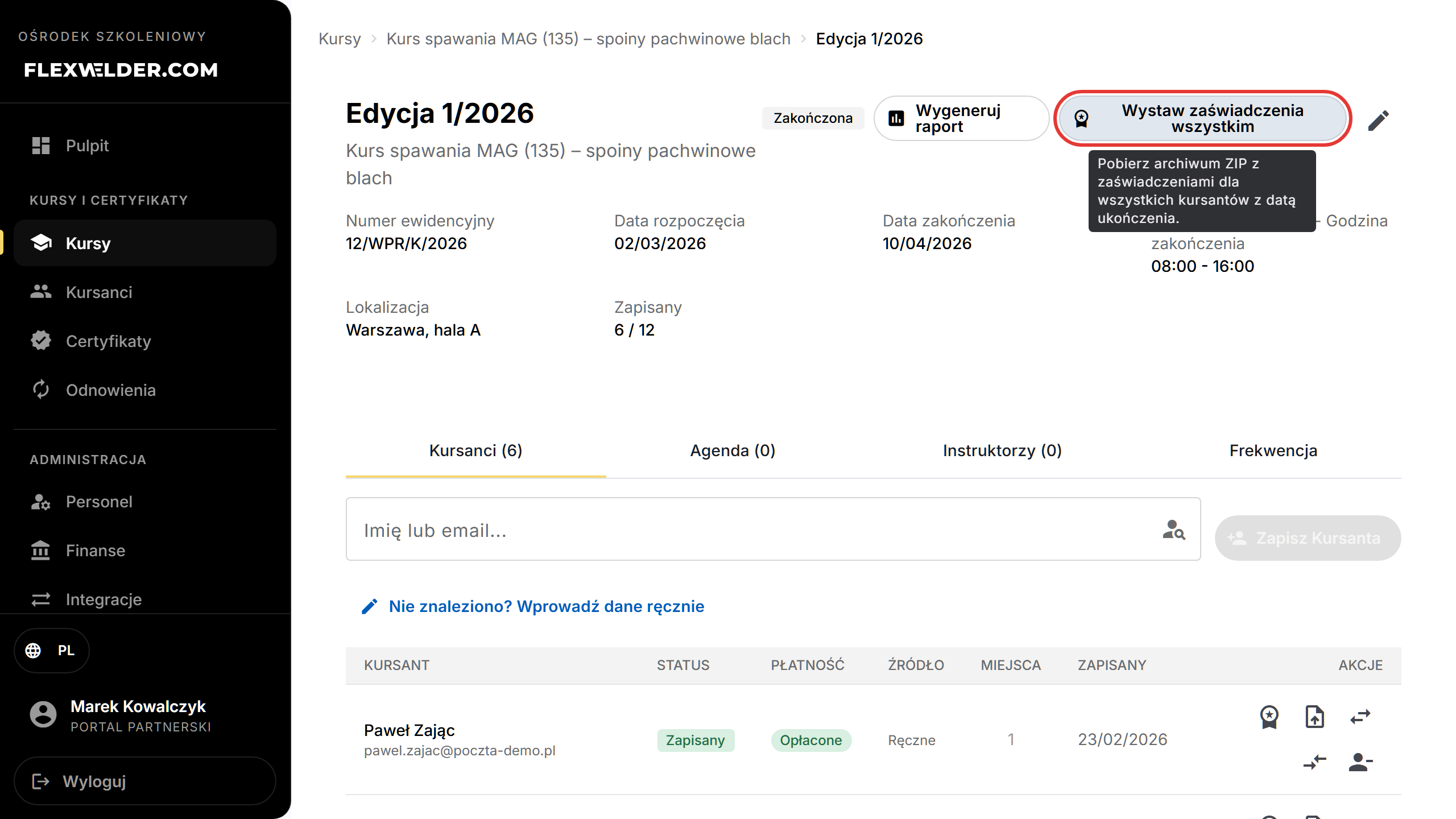
- In the edition header (or a no-edition course's Students tab), click "Issue certificates for all".
- A ZIP of completion certificates downloads — one per student with a completion date.
The register / evidence
The course's Certificates (register) tab lists issued completion certificates: No., student, Certificate no., Issue date, a Receipt confirmed checkbox, and Notes. Filter by date range and "Download register (PDF)" for the evidence document.
Fields & validation
| Field | Notes |
|---|---|
| Certificate number | Suggested automatically (often from the edition's evidence number); editable before issuing. |
| Completion date | Required for a student to be included in the bulk ZIP. |
| Receipt confirmed / Notes | Recorded in the register for hand-over tracking. |
What happens / outcome
- Per-student: a numbered completion certificate PDF is generated and downloaded, and the student appears in the register.
- Bulk: a ZIP of all eligible certificates downloads. The register PDF is the official evidence list.
- The certificate's 2nd page shows the course description and the framework programme — if you filled it in on the course settings. When the framework programme is empty, the session schedule from the edition's agenda is printed instead. If the course has no description, programme, or agenda, the certificate stays single-page.
- Center stamp: if you uploaded one in Account settings (Company tab), it is printed in the signature zone of every generated certificate — individual and in the bulk ZIP. Without a stamp the document still generates normally, leaving room for a physical stamp.
Edge cases & errors
- Students without a completion date are skipped by the bulk ZIP.
- Generation failures show "Failed to generate certificates."
- The layout used follows the course's Certificate template (see Glossary).
Related flows
- Course editions · Certificate register (issued welding certs) · Completion report (cert-body list)
FAQ
- Completion certificate vs welding certificate? Completion = "finished this course" (issued from the course); welding certificate = a welding qualification (uploaded/recorded via Issue a certificate).
- Why is a student missing from the ZIP? They have no completion date yet.