Account settings
Your personal profile and the company's information — including the company details and certificate-numbering settings that appear on completion certificates.
When to use
To update your name/phone, change your password, maintain company details (logo, NIP, registry number, branch), or manage the e-commerce API key.
Where
- Sidebar: Settings
- URL:
/partner/settings - Roles: all (every signed-in partner can reach Settings).
Step-by-step
- Open "Account Settings". Use the tabs: Profile, Company, Billing, API Integration, SMS,
Security. (The Employee and Instructor roles see only Profile and Security.)
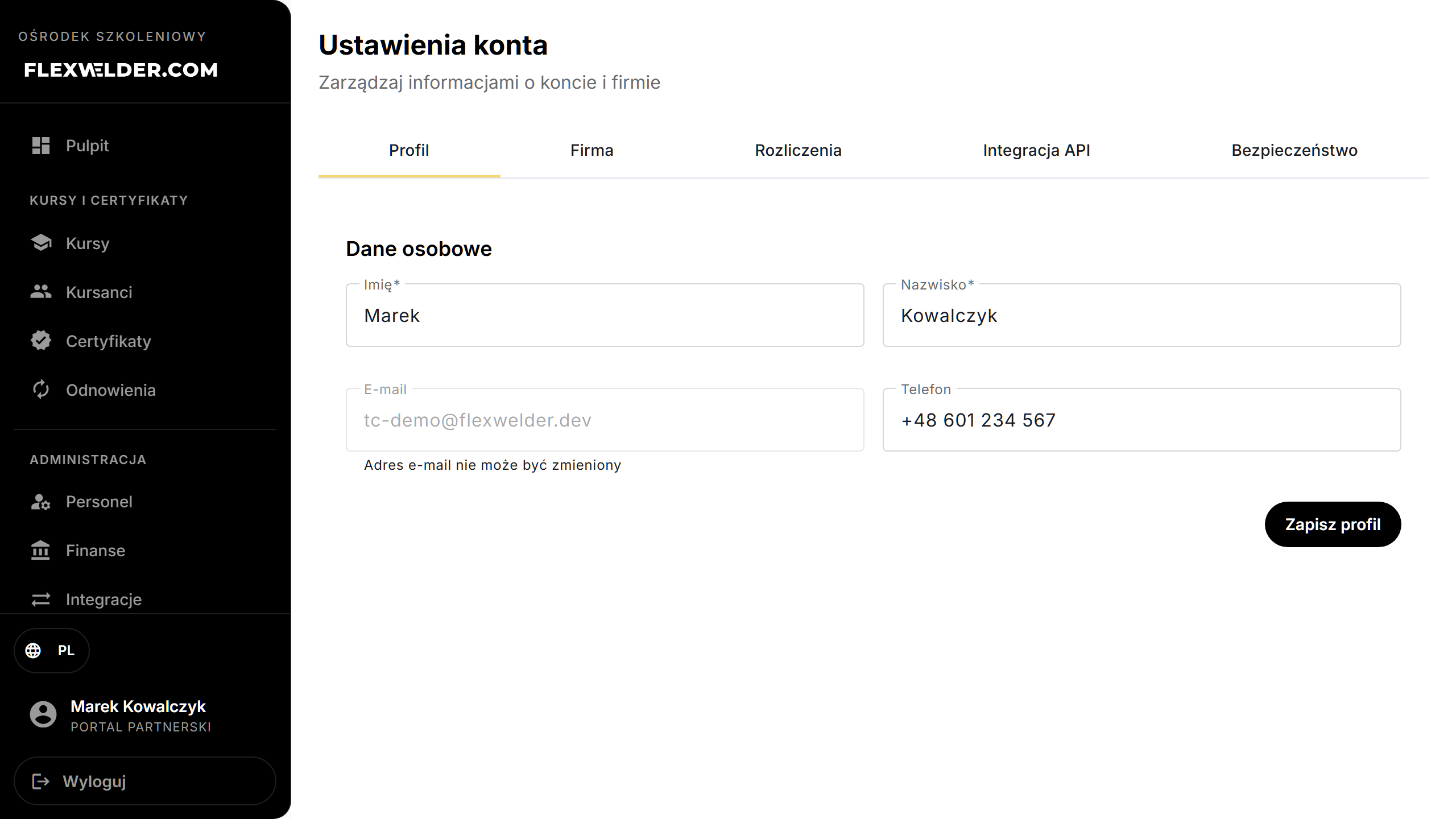
- Profile: edit First Name, Last Name, Phone (email can't be changed); Save Profile.
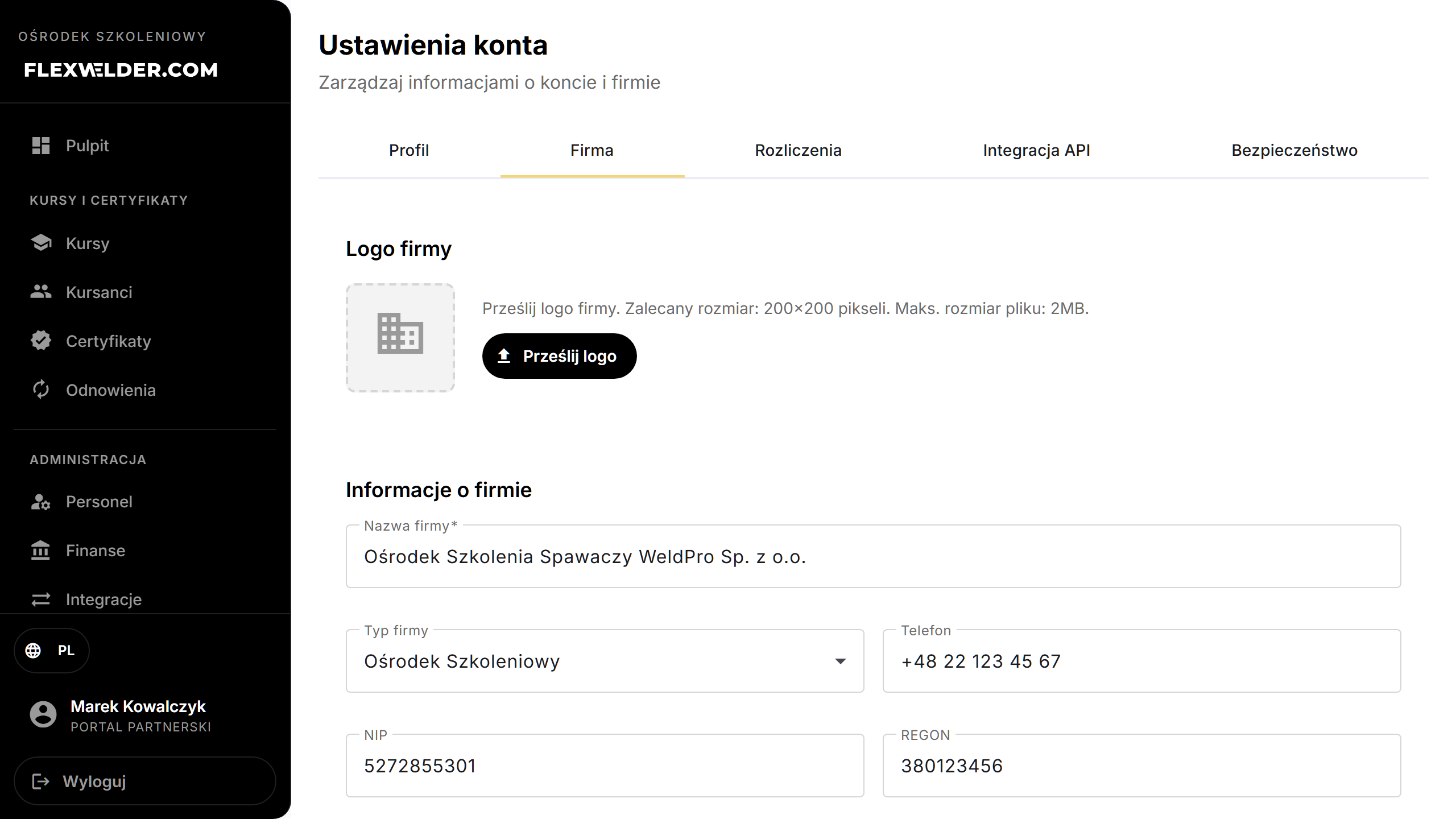
- Company: upload a logo, set Company Name, type, phone, NIP, REGON, website,
address/city/ZIP, and the certificate fields — Course-providers registry number, Branch, Director,
Branch code (used in the auto evidence number); Save Company Info.
- Certificate stamp (a card on the Company tab, Training Center only): click "Upload stamp" and pick a PNG or JPG file (ideally a PNG with a transparent background; the system rescales it automatically). The stamp is printed in the signature zone of every newly generated completion certificate. The "Remove" button withdraws it — certificates then generate without a stamp.
- SMS: automations and message history — see SMS notifications.
- Security: change your password (current + new + confirm); Change Password.
Fields & validation
| Tab | Key fields |
|---|---|
| Profile | First/Last name (required), Phone. Email is read-only. |
| Company | Name (required), Company Type, NIP, REGON, address; registry number, branch, director, branch code (printed on certificates / used in evidence numbers); certificate stamp (PNG/JPG). |
| SMS | Automatic reminders and history — SMS notifications. |
| Billing | Subscription status (read-only) and management. |
| API Integration | Generate / regenerate the e-commerce API key (see Integrations). |
| Security | Current password, new password, confirm; passwords must match. |
What happens / outcome
- Save Profile / Save Company Info persist the changes (success toasts). Change Password updates your login.
- Company fields like branch code feed the auto-format evidence number
{number}/{CODE}/K/{year}; the registry number and director print on completion certificates.
Edge cases & errors
- The page warns about unsaved changes if you navigate away mid-edit.
- Logo upload: PNG/JPEG/GIF, max 2 MB. PDF and SVG won't work — the logo also lands on the offer PDF, where only raster formats render.
- Stamp: PNG/JPG; any other format is rejected with "Allowed formats: PNG or JPG."
- Setting Company Type to "Training Center" is what unlocks the whole training portal — see Getting started.
Related flows
- Getting started (company type gating) · Integrations (API key) · Glossary (evidence number, registry number).
FAQ
- Why does the certificate show the wrong center name/number? Update the Company tab — name, registry number, branch and director print on certificates.
- Can a trainer open Settings? Yes — Settings is available to all roles, but the Instructor and Employee roles see only the Profile and Security tabs.