Send an offer & acceptance link
You email the offer with its PDF and a tokenized acceptance link; on a public page (no login) the client clicks "Akceptuję ofertę" (Accept) or "Odrzucam" (Reject), and the decision freezes the document.
When to use
When a draft is ready and you want the client's decision — by email with the link, by the link alone (e.g. via a messenger), or by recording the decision manually after a phone acceptance.
Where
- Panel: the offer editor (
/partner/offers/<id>), header actions - Client page: the public address
https://<panel>/oferta/<token>— no login, mobile-friendly - Roles (panel): Owner / Admin / Manager; the public page opens for anyone with the link.
Prerequisites
An offer in Draft or Sent status. For email sending: the client's email in the directory, or one typed into the send dialog.
Step-by-step
Sending by email
- In the offer editor click "Send".
- In the "Send offer" dialog check the Recipient email (suggested from the directory) — "The client
receives an email with the offer PDF and an acceptance link (valid 30 days)." Click "Send".
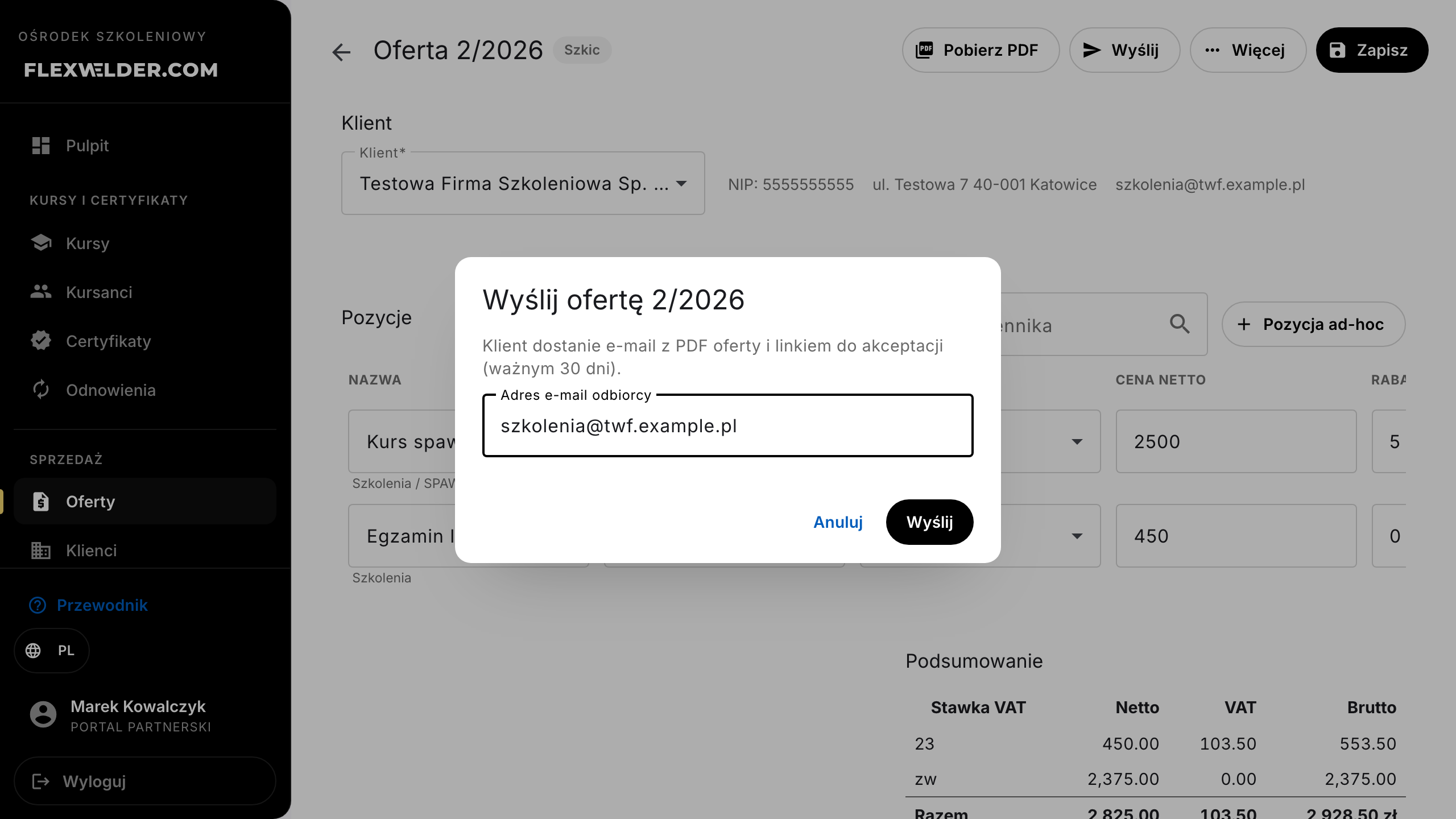
- A toast confirms "Offer sent to "; the first send switches the status to Sent and freezes the client data in the offer's snapshot.
- A link-state bar appears above the cards: "Acceptance link active" with "Copy link" and "Revoke link" buttons.
Link without an email
- For a draft choose "More" → "Mark as sent (link without email)".
- The status flips to Sent and the acceptance link lands in your clipboard (toast "Offer marked as sent. Acceptance link copied to clipboard."). Pass it to the client through any channel.
The client's decision on the public page
- The client opens
/oferta/<token>: the page shows the "Oferta do akceptacji" header, the center's and offer's details, the items table grouped by category, the VAT summary, and a "Pobierz ofertę (PDF)" (download PDF) link. The page is in Polish.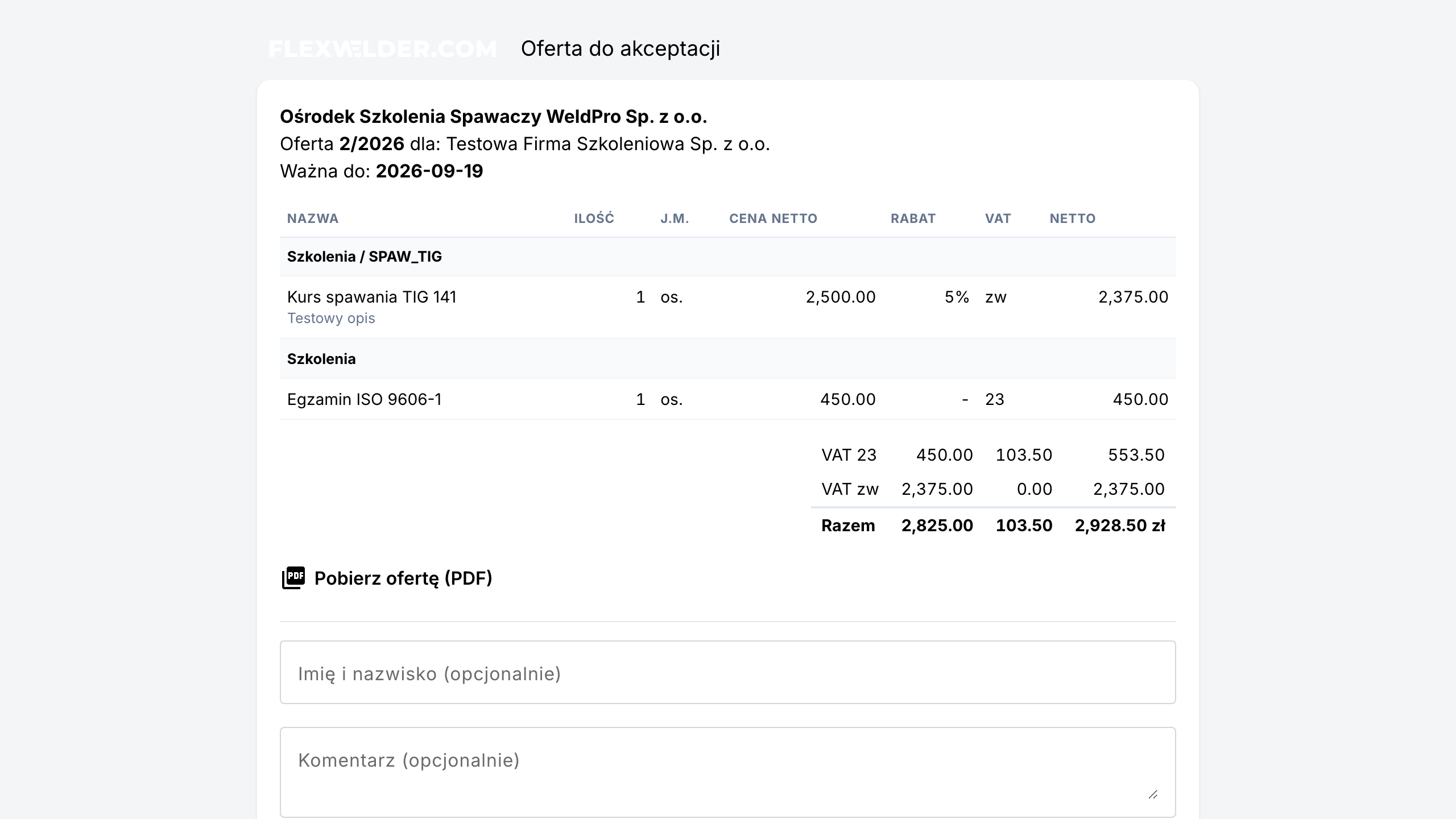
- Optionally they type their name and a comment, then click "Akceptuję ofertę" (Accept) or "Odrzucam" (Reject).
- The page confirms the decision ("Oferta zaakceptowana" / "Oferta odrzucona" with the comment), and in the panel the offer switches status and becomes frozen.
Manual decision (phone / email)
- For a sent offer choose "More" → "Record client decision".
- Pick Accepted or Rejected, add a Comment (optional) and click "Save decision" — "The offer is frozen just like with link acceptance."
Withdrawing & history
- "More" → "Withdraw to draft": "The offer becomes editable again and active acceptance links are revoked." After edits you send it again (a new link is issued).
- "More" → "Offer history": a Created → Sent → decision timeline (who decided, with what comment).
Fields & validation
| Field (label) | Required | Notes / validation |
|---|---|---|
| Recipient email | yes (for email sending) | Suggested from the directory; without any address: "The client has no email address - fill it in the registry or enter one." |
| Name (public page) | no | Stored with the decision, visible in the offer history. |
| Comment (public page / manual decision) | no | Visible in the history and on the decision banner. |
What happens / outcome
- The link is valid for 30 days from sending. Re-sending does NOT revoke earlier, still-valid links (the promise made in the email is kept); "Revoke link" disables all of them at once ("All active links to this offer will stop working.").
- Freezing on decision: the system stores the timestamp, the decider's details, a canonical content snapshot, its checksum, and the rendered PDF. Later price list or template changes never alter the accepted document.
- Link states on the editor bar: "Acceptance link active" / "Link used - decision recorded" / "Link expired" / "Link revoked".
Edge cases & errors
- Second click / simultaneous decisions: only the first one is recorded; the next attempt shows "A decision for this offer has already been recorded."
- Old or revoked link: the public page explains the link is invalid or was revoked.
- Link older than 30 days: the page asks the client to request a fresh offer email.
- Offer past its Valid until date: the page announces the offer expired and hides the decision buttons; in the panel you can withdraw to draft, extend the validity and resend, or record a manual decision.
- Email delivery failure: the offer still becomes Sent and the link stays available on the state bar — pass it along through another channel.
Related flows
- Create / edit an offer · Offers list · Offer PDF template — the look of the document the client receives.
FAQ
- Does the client need an account? No — the acceptance page works without login, purely on the tokenized link.
- What does the client see after deciding, if they reopen the link? The same page with a decision banner (accepted/rejected), and they can still download the PDF.
- I sent the offer twice — which link works? Both, until they expire or you revoke them; the decision can be made only once.